Page to Pray the Rosary
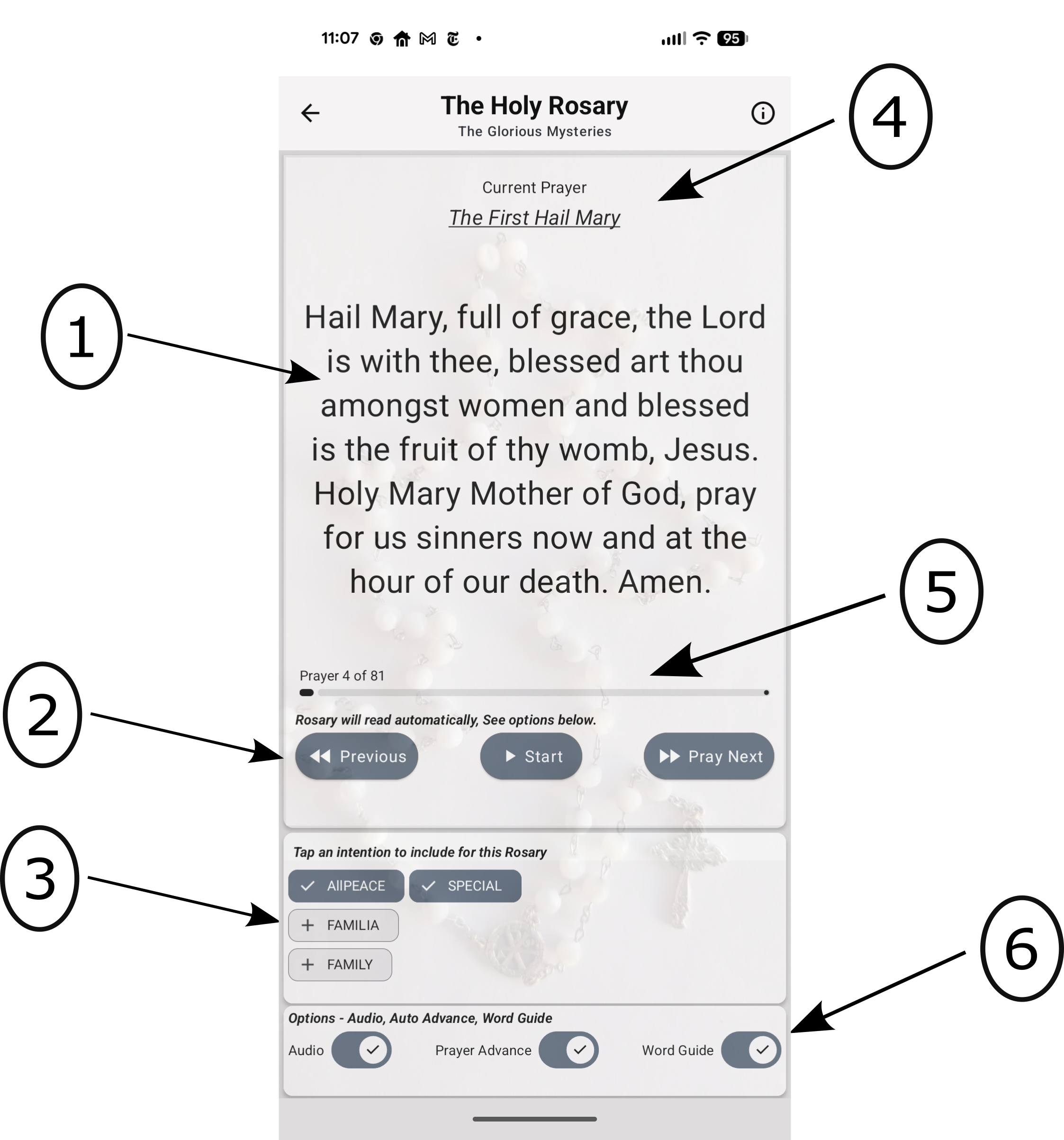
- The text for the current prayer will be displayed here.
- Prayer control buttons:
- Previous - Navigates to the previous prayer.
- Start - Begins the displayed prayer.
- Pray Next - Navigates to the next prayer.
- Intention chips - Tap a chip to add/remove it for this Rosary.
- Checked - This intention is included in this session.
- Plus sign - This intention is available to be added.
- Information indicating the current step and the name of the prayer.
- Progress bar and prayer step counter.
- Important Options:
- Audio - Turn the audio on or off.
- Auto Advance - Move automatically to the next prayer (On/Off).
- Word Guide - The spoken word will be underlined (On/Off).